
Creating a Google Business Profile is an important first step for any local business, but simply setting it up and forgetting about it is not enough.
Your profile may appear when someone searches for your company, looks for a service in their area or compares several local businesses on Google Maps. The information, photographs and reviews they find can influence whether they visit your website, call the business or continue looking elsewhere.
Keeping your Google Business Profile updated helps ensure that potential customers see accurate information and a professional representation of the work you currently provide.
What Is a Google Business Profile?
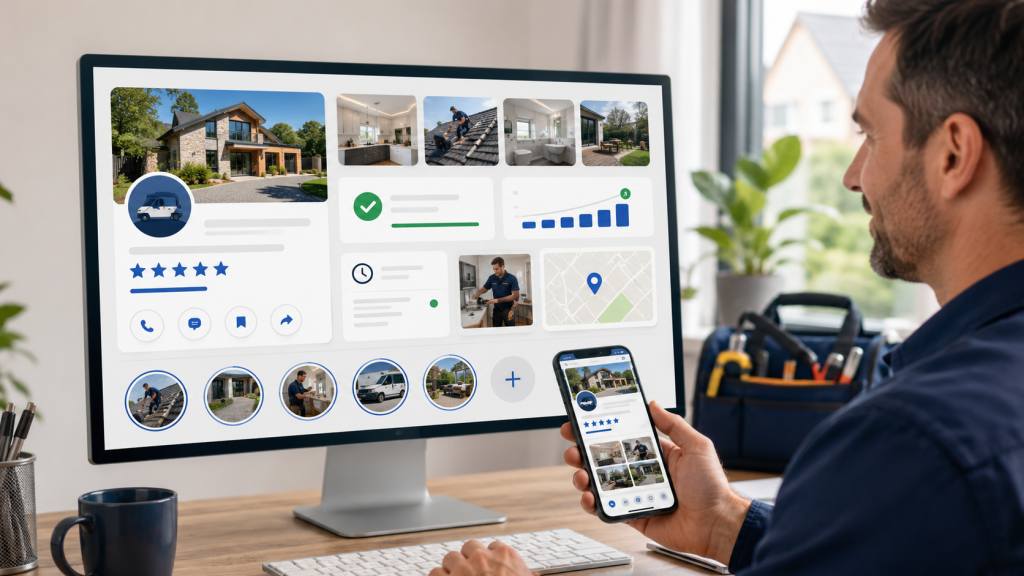
A Google Business Profile is the business listing that can appear across Google Search and Google Maps.
Depending on the business and information available, the profile may display:
- Business name
- Primary business category
- Additional categories
- Telephone number
- Website
- Opening hours
- Service areas
- Services
- Business description
- Photographs and videos
- Customer reviews
- Business updates
- Directions or location information
For many potential customers, this profile will be one of their first interactions with the business.
They may view it before visiting the website or social media pages. In some cases, they may call directly from the Google listing without visiting another platform.
Why Does Your Google Business Profile Need Updating?
Your business is likely to change over time.
You may introduce new services, complete work in different areas, receive new reviews, change your opening hours or take better photographs. If none of this information is added to Google, the profile can quickly stop reflecting the business accurately.
An outdated profile may contain:
- Incorrect opening hours
- Old contact information
- Missing services
- Poor-quality photographs
- Unanswered customer reviews
- Outdated service areas
- Very little evidence of recent work
Even if the business itself is busy and successful, an inactive profile can give potential customers a different impression.
Accurate Information Helps Customers Find the Right Business
Google advises businesses to keep their information complete and accurate. This helps customers understand what the company does, where it operates and when it is available.
Google explains that local results are primarily influenced by relevance, distance and prominence. Complete and detailed business information can help Google understand the business and match it with relevant searches.
Your profile should be checked regularly to ensure that the following details remain correct:
- Business name
- Telephone number
- Website address
- Main business category
- Additional categories
- Opening hours
- Special opening hours
- Business description
- Services
- Service areas
- Customer-facing address, where applicable
You should not add irrelevant categories or locations simply to include more keywords. The information should accurately represent the business and follow Google’s guidelines.
You can read Google’s official guidance on improving local visibility and keeping business information complete.
Recent Photographs Show That the Business Is Active
Photographs are particularly important for trades and local service businesses.
A potential customer may want to see examples of:
- Recently completed work
- Before-and-after results
- The team
- Company vehicles
- Equipment
- Business premises
- Products
- Larger projects
- The standard of workmanship
A profile containing recent, relevant photographs provides more reassurance than one containing only a logo and a few images uploaded several years ago.
Google recommends adding business-specific photographs that show features customers may consider when deciding whether to purchase a product or service.
You do not need to arrange professional photography every week. Clear smartphone photographs taken during ordinary working days can provide a valuable record of what the business does.
Once the photographs have been taken, they can be organised, selected and added to the profile regularly.
Google Business Profile Updates Keep Customers Informed
Businesses can publish updates directly to their Google Business Profile.
Google currently allows eligible businesses to publish different types of posts, including:
- General business updates
- Offers
- Events
A standard update can include a description, photograph or video and an action button that directs customers to a relevant page.
This gives businesses an opportunity to share:
- Recently completed projects
- New services
- Seasonal reminders
- Business announcements
- Availability updates
- Helpful advice
- New team members
- Awards or accreditations
- Links to useful website content
These updates should be concise, relevant and written for customers. Avoid forcing keywords into every sentence or publishing the same promotional message repeatedly.
Google provides more information about creating and managing Business Profile posts.
Your Services May Be Missing or Outdated
Many businesses create a profile, select one main category and never revisit the services section.
However, the company may provide far more than the profile currently shows.
For example, an electrician might also provide:
- EV charger installation
- Consumer unit upgrades
- Commercial electrical work
- Rewires
- Emergency lighting
- Electrical inspections
- Landlord safety certificates
A garage might provide servicing, MOT testing, diagnostics, tyres, air conditioning, wheel alignment and commercial vehicle repairs.
Reviewing the services section helps ensure that customers can understand the full range of work available.
Descriptions should be useful and written naturally. They should explain the service rather than becoming a long list of towns and search terms.
Opening Hours Must Be Kept Accurate
Incorrect opening hours create a poor customer experience.
Someone may travel to the premises, call outside operating hours or assume the business is unavailable when it is actually open.
Your profile should be updated whenever:
- Regular opening hours change
- Weekend availability changes
- The company closes for a holiday
- Christmas or bank holiday hours are different
- The business temporarily closes
- Seasonal working hours begin
Google allows businesses to add both regular and special opening hours. Changes should be made as soon as they are confirmed rather than waiting for a customer to report that the information is wrong.
Google’s current instructions explain how to edit regular business hours and set special hours.
Customer Reviews Need Monitoring
Reviews are one of the most visible parts of a Google Business Profile.
Potential customers may use them to assess:
- Reliability
- Quality of work
- Communication
- Professionalism
- Value
- How problems are handled
New reviews should be monitored so the business knows what customers are saying and can respond appropriately.
Leaving every review unanswered may make the profile feel neglected. Responding demonstrates that the business has read the feedback and values the customer’s experience.
Replies should be:
- Polite
- Relevant to the review
- Personalised where possible
- Concise
- Professional
- Free from private customer information
Avoid copying exactly the same reply under every review. Even small details about the service or general area can make the response feel more genuine.
Google states that review replies are public and recommends keeping them professional, conversational and relevant. Businesses can also create a direct link or QR code to make it easier for genuine customers to leave feedback.
Read Google’s guidance on managing and replying to customer reviews.
What About Negative Reviews?
Negative reviews should not automatically be ignored or met with an angry response.
A calm and constructive reply gives the business an opportunity to demonstrate how it handles concerns.
A good response may:
- Acknowledge the customer’s experience
- Apologise where appropriate
- Correct inaccurate information calmly
- Invite the customer to make contact privately
- Explain what the business will do next
Do not publish private details or become involved in a public argument.
If a review genuinely violates Google’s policies, it can be reported. However, a review should not be reported simply because the business disagrees with it.
Service Areas Should Reflect Where You Actually Work
Service-area businesses should periodically review the locations listed on their profile.
The service area should accurately reflect where the company normally travels to provide work. Adding a very large number of unrelated areas does not make the business appear genuinely local to all of them.
A sensible service area helps customers understand whether the business is likely to cover their property.
If the business expands, reduces its coverage or opens another legitimate location, the profile may need updating.
How Often Should You Update a Google Business Profile?
There is no single schedule suitable for every business, but the following provides a practical starting point.
Every week
- Add recent project photographs
- Publish a relevant business or project update
- Check for new reviews
- Respond to customer feedback
- Check for customer questions or suggested changes
Every month
- Review the services listed
- Check categories and service areas
- Confirm the website and phone number
- Review the business description
- Remove or replace poor-quality imagery
- Examine which photographs and updates are receiving attention
Immediately when something changes
- Update regular or special opening hours
- Correct contact information
- Add important business announcements
- Update the website address
- Amend the service area
- Correct inaccurate information
The objective is not to change information unnecessarily. It is to ensure that the profile continues to provide an accurate and useful representation of the business.
Can Regular Updates Guarantee Better Rankings?
No individual update can guarantee that a business will rank in a particular position.
Google states that local results are mainly based on relevance, distance and prominence. There is no legitimate way to request or pay Google for a better organic local ranking.
However, maintaining complete and accurate information helps Google understand the business, while photographs, reviews and detailed profile information help customers evaluate it.
A properly maintained profile is therefore valuable even without making unrealistic ranking promises.
Common Google Business Profile Mistakes
Businesses should avoid:
- Using an incorrect business name
- Adding keywords to the business name when they are not part of the genuine name
- Selecting irrelevant categories
- Listing areas the business does not realistically serve
- Publishing low-quality or unrelated photographs
- Ignoring customer reviews
- Copying identical review replies
- Showing incorrect opening hours
- Creating unnecessary duplicate profiles
- Forgetting to update old phone numbers or website links
- Offering incentives in exchange for positive reviews
Google requires reviews to reflect genuine customer experiences. Discounts, free products or other incentives should not be offered in exchange for reviews.
A Google Business Profile Is Not a One-Time Task
Creating the profile is only the beginning.
A strong profile should develop alongside the business. As new work is completed, new services are introduced and customer feedback is received, that information should be reflected online.
The difficulty for many business owners is not understanding that updates are useful. It is finding time to take photographs, write updates, respond to reviews and check that everything remains accurate while also running the company.
This is where a consistent management process becomes valuable.
Let Project Presence UK Manage Your Google Business Profile
Project Presence UK manages the complete online presence of local businesses from £300 per month.
As part of the service, we can:
- Complete an initial Google Business Profile audit
- Review and improve profile information
- Add services and relevant descriptions
- Upload recent project photographs
- Publish regular project and business updates
- Monitor new customer reviews
- Write professional review responses
- Help create a realistic review-generation strategy
- Organise previous content for future use
- Keep the profile active alongside your social media accounts
You send photographs and occasional videos of your work into a WhatsApp group. We organise the content, prepare the updates and make sure your business continues to look active and professional online.
Contact Project Presence UK to tell us about your business and arrange an initial discussion.